Static ads: what they are and when they beat video
Static ads are single images that sell one thing fast. Here is when a static ad beats video, what a good one contains, which sizes matter and how to make a set from one photo.
6 min read
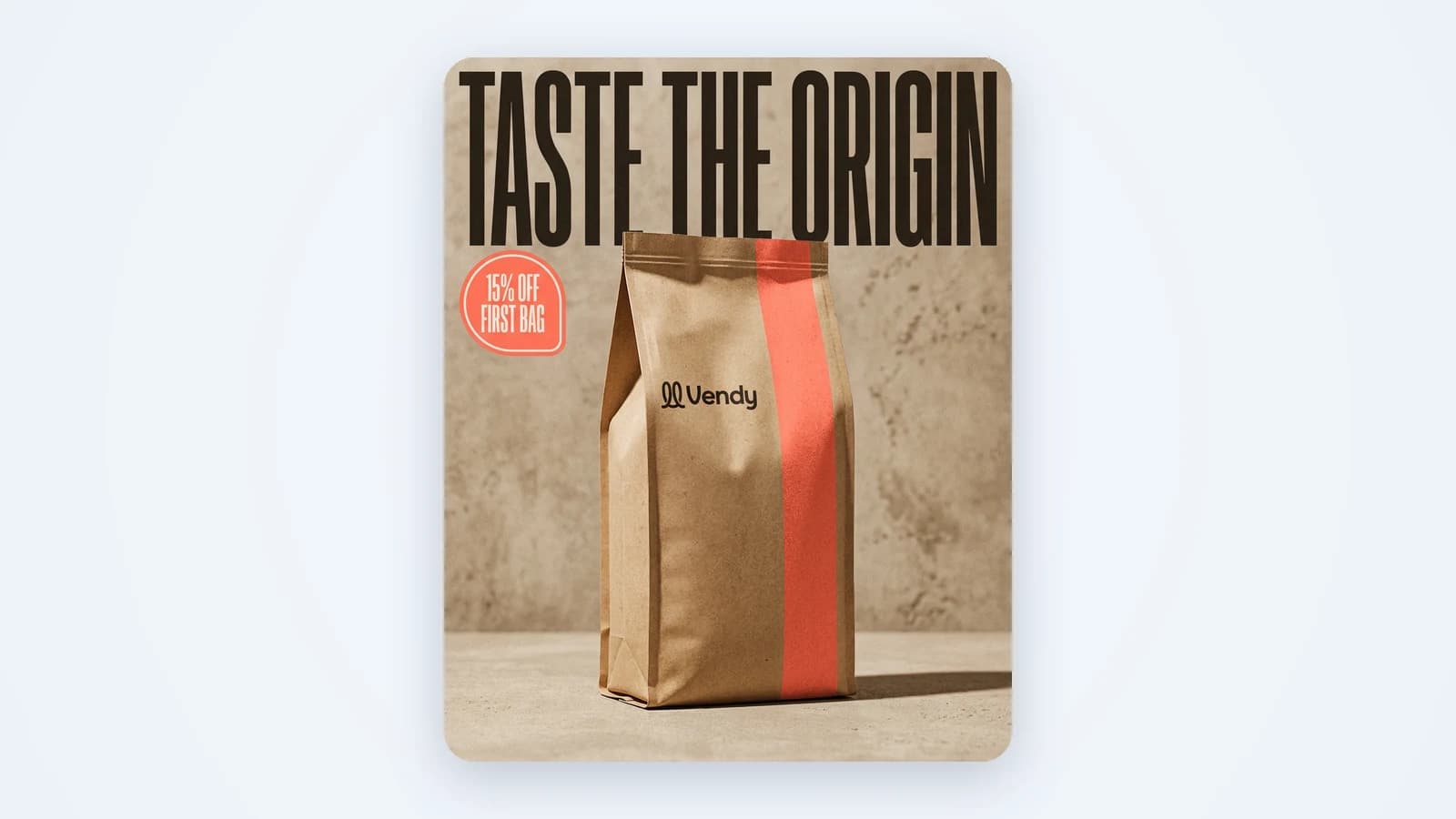
Static ads are ads made of one still image: your product, a headline, maybe an offer and a button. No motion, no sound, no slides. They are the oldest format in paid social and still one of the most useful. They are cheap to make, fast to test and easy to read in a second. This guide covers what a static ad is, how it compares to video and dynamic ads, when it wins, and how to make a full set from one product photo.
What static ads are
A static ad is a single image placed in a feed, a story, a sidebar or a search network. Meta, TikTok, Google and Pinterest all accept them. People also call them image ads or display images. The idea is the same everywhere: one frame has to stop the scroll and give a reason to click.
That one frame does all the work. There is no hook in the first second, no voice to explain the product, no second slide to save a weak first one. So a static ad lives or dies on three things: the product is clear, the message is short, and the next step is obvious.
Static vs video vs dynamic
Most guides on static vs video ads frame it as a fight. It isn't. Each format does a different job, and most accounts need all three.
- Static. One image. Fast to read, fast to make, easy to change. Best when the message fits in one line: a price, an offer, a new color, a restock.
- Video. Motion and sound. Better at showing how a product works, how it feels in the hand, or who uses it. Takes longer to make and needs a strong opening second.
- Dynamic. The platform builds the ad on the fly from your catalog: it picks the product, image and text per viewer. Great for large stores with feeds. You control the inputs, not the final look.
A simple way to decide: if you need to explain, use video. If you need to remind or announce, use static. If you have hundreds of products and a clean feed, let dynamic do the matching, and feed it good images. When you are ready for motion, an AI video ad generator can turn the same product into a short clip.
When static ads win
Static ads earn their place in four situations most small sellers face every month:
- Offers and prices. "15% off your first bag" reads faster as a big badge than as a line in a video. The buyer sees the deal before they decide to keep scrolling.
- Retargeting. People who visited your store already know the product. They don't need a demo. A clean image of the item they looked at, plus a reason to come back, is enough.
- Quick tests. Want to know which headline or angle works? Change one line on a static ad and you have a new version in minutes. Testing ten headlines on video costs ten edits.
- Launches and restocks. A new flavor, a new color, back in stock. One image says it plainly.
Anatomy of a good static ad
Strip a strong static ad down and you find the same five parts. Miss one and the image becomes decoration.
- The product. Big, sharp and real. Same color, shape, label and logo the buyer will get. A redrawn logo or a shifted color costs trust and invites refunds.
- The headline. One idea in a few words. Say the benefit or the reason to buy now, not the product name the buyer can already see.
- The offer. A discount, free shipping, a bundle, a deadline. If there is no offer, give a reason: a result, a use, a moment.
- The button or next step. "Shop now", "Order today", "Book a table". On most platforms the button sits below the image, so the image itself only needs to point there.
- Safe zones. Every size has edges the platform covers: the profile name and caption on top of a story, the buttons along the side and bottom of a 9:16 placement. Keep the product, headline and price away from them.
This is the same structure behind most good product ads, whatever the format. If you want the bigger picture on what makes a creative sell, read our guide to ad creative.
Sizes that matter for static ads
A square image cropped into a story cuts off the product or the price. Make each size on purpose instead. These eight cover almost every placement a small seller buys:
- 9:16 for stories and reels on Instagram and Facebook, and for TikTok.
- 4:5 for the Instagram and Facebook feed. It takes more screen than a square.
- 1:1 for feeds and for placements that crop to a square.
- 3:4 and 2:3 for tall feed spots and Pinterest pins.
- 16:9 for wide placements: YouTube, display banners, desktop feeds.
- 3:2 and 4:3 for landscape spots and display networks.
Start with 4:5 and 9:16 if you run on Meta. Add 1:1 and 16:9 when you go to Google. For Meta-only campaigns, the AI Facebook ad generator is the shortest path.
How to make static ads fast from one product photo
You don't need a studio. A phone shot on a kitchen counter is enough to start. Here is how it works in Vendy:
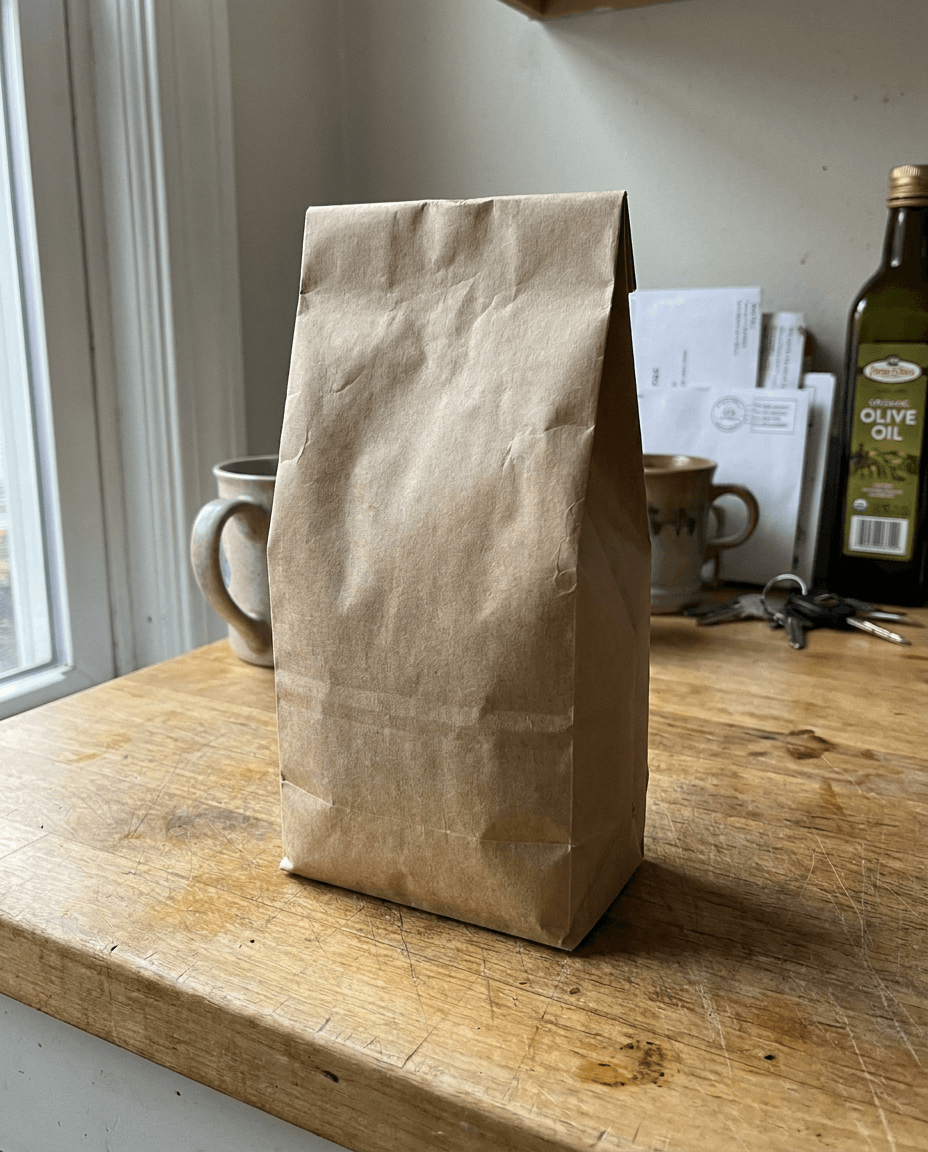
- Add the product. One photo, or a link to the product page. The product stays as it is: color, shape, label and logo unchanged.
- Pick a direction. Write a short prompt, or take one of the ideas Vendy suggests: a new scene, new light, a headline.
- Or start from a layout. Browse ad templates by industry, ad type or occasion. Vendy rebuilds the layout with your product, brand and words. The original image never goes into your ad.
- Choose sizes. Any of the eight above. You get up to 4 versions per run, as PNG files.
- Download and upload. Vendy makes the creative only. You upload the files to Meta Ads Manager, TikTok Ads Manager or Google Ads and set the budget there.
The AI product photo generator page shows more examples. If one image is not enough for the story, the same product can become a 2 to 10 slide set with AI carousel templates.
Common mistakes
- Too much text. A static ad is not a flyer. If the headline needs two lines and a paragraph, cut it.
- A small product. The scene looks great and the product is a dot in the corner. Make it the biggest thing in the frame.
- One size cropped everywhere. The price ends up under the story header. Build each size on its own.
- A changed product. Generic image tools warp shapes and invent labels. The buyer notices when the box arrives.
- No reason to act. A pretty picture with no offer, no benefit and no next step gets a glance, not a click.
- Testing one version. One image tells you nothing. Run a few headlines side by side with the same budget and audience.
Takeaways
- Static ads are one image doing one job: show the real product and give a reason to click.
- Use static for offers, prices, retargeting and quick tests. Use video when you need to explain.
- Every good static ad has a product, a headline, an offer, a next step and clean safe zones.
- Build each size on purpose. Start with 4:5 and 9:16 for Meta.
- Test several versions at once, then move the winning message into video and carousels.
Keep reading
All articles AI advertising
AI ads: how to make ad creatives that sell
AI ads are only as good as the creative behind them. Here is how an AI ad generator works, where it goes wrong, and how to pick one that shows your real product.5 min read
 Ad basics
Product ads: formats that sell and how to make them
What product ads are, which formats small sellers should run, what makes one work, and how to turn one product photo into a full set of ads.7 min read
 How-to
How to make an ad: a step-by-step guide for small sellers
Seven steps from one product to an ad you can upload today: the goal, the buyer, the hook, the size, the creative, the versions and the numbers that pick the winner.8 min read