AI video ads: types, lengths and how to make them
Creator clips, presenters over slides and product showcases: what each kind of AI video ad is for, which length and frame fits each platform, and how to make one from a product photo.
8 min read

AI video ads are short ads where the footage, the voice and the captions come from AI models instead of a camera crew. For a small seller that means a video ad without a shoot: one product photo in, a vertical clip out, in the time it takes to write a brief. The catch is that a video made fast still has to sell. This guide covers the three types worth making, which one fits which goal and platform, how the production works, and the mistakes that burn a budget.
What AI video ads are (and are not)
A video ad has always needed people: someone to film, someone to edit, often someone on camera. AI takes over the production. You bring the product and the message. The model builds the scene, moves the camera, adds a voice and writes the captions.
What AI does not do is decide what to say. The hook, the offer and the reason to buy are still yours. That is why AI powered video ads from two sellers with the same tool can look alike and perform very differently.
Animated or photo-real?
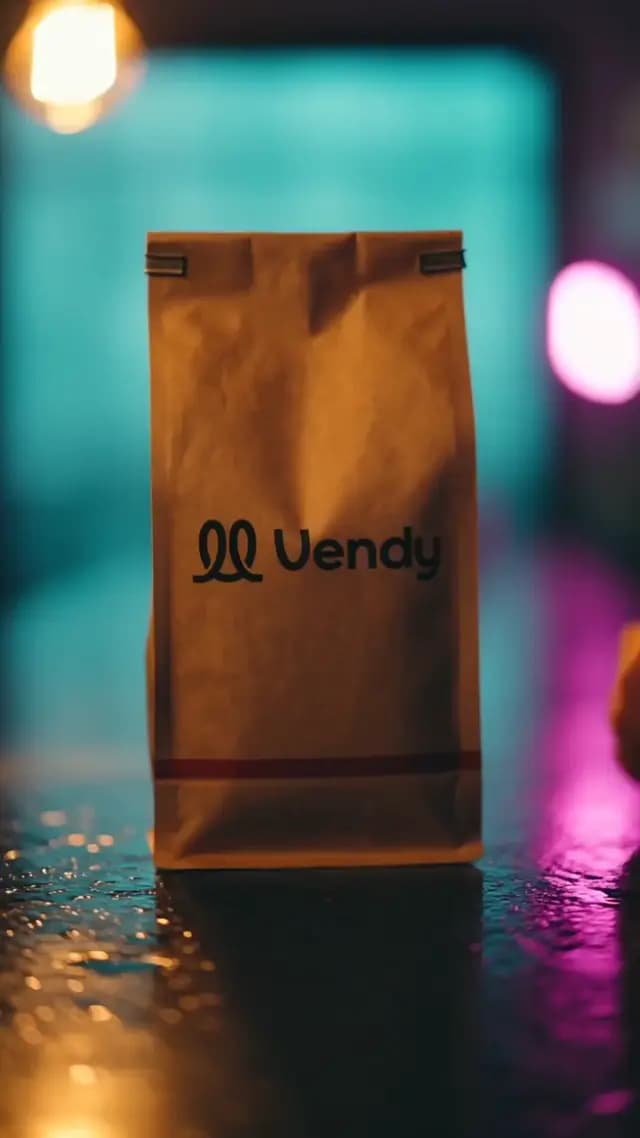
People searching for animated video ads usually mean one of two things: cartoon-style motion graphics, or any ad that moves. Vendy makes the second kind, photo-real: real-looking hands, faces, rooms and your real product in motion. It does not make cartoons or explainer animations. If your brand speaks in illustration, a motion designer is the better fit. If you sell a physical product, photo-real usually earns more trust, because the buyer sees the item they will get.
The three types of AI video ads
Most AI video ads fall into three formats. Each one does a different job.
1. Creator clip (UGC)
An AI creator talks to camera about your product, phone-shot look, like a post from a real customer. You pick the face or let Vendy cast one, then edit the script. Captions are included. Length is 3 to 15 seconds. The creator is an AI avatar, not a real person, so present it as an ad, not as a customer review. More on this format in AI UGC ads.
2. Presenter over slides
An AI presenter talks over 3 to 6 slides: product shots, benefits, the offer. The voice is matched to the avatar and you can change it. The script is drafted for you and stays editable. Background removal is automatic. It runs 15, 20, 25 or 30 seconds, in 9:16 only. This is the format for a product or service that needs a little explaining. See AI avatar video ads.
3. Product showcase
The product is the star: hands, unboxing, close-ups. A face is optional and only for hands or voice. There is no separate voiceover, so the story rides on the shots, the captions and the music. An end card with your brand closes the clip. Length is 3 to 15 seconds. It works best for physical products. This is the format behind AI commercials, and the tool is the AI commercial generator.
Which type for which goal
- You need trust from cold buyers. Start with a creator clip. A face talking to camera reads as a recommendation, not a brochure.
- Your product needs explaining. Use a presenter over slides. A service, an app or a product with three key benefits fits here.
- Your product sells on looks. Use a product showcase. Beauty, food, apparel and gadgets win on close-ups and texture.
- You have no idea yet. Make one of each for the same product and let the numbers pick.
What makes AI video ads hold attention
The type is half the decision. The other half is how the video is built inside. Three choices do most of the work:
- A selfie with the product in hand. For a creator clip, the strongest setup is the simplest one: a person holding the item close to the phone, talking like they would to a friend. Not a tip, not a pitch. A small story about using it.
- A reveal at the end. Don't show everything at once. Tease the result, then pay it off in the last few seconds: the finished look, the open box, the twist. In a product showcase, hands and an unboxing do this job without a single word.
- A hook that surprises. The first second should make people ask "wait, what?". An object where it shouldn't be, a line that contradicts itself, a strange angle. Ask yourself one question before you pick the opening frame: would this stop me with the sound off?
The reveal is the one with the clearest signal. In our own analysis of about 290,000 organic Instagram and TikTok posts, videos that saved the payoff for the end showed up about 1.6 times as often among posts that beat their channel's usual views. That's organic, not paid, so treat it as a strong idea to test, not a promise.
What about length? In organic feeds, longer videos are not worse. Long stories often hold people well when there is something to follow. Paid ads are a different game: you pay for every impression, and the first seconds decide whether anyone sees the rest. Vendy makes creator clips and showcases of 3 to 15 seconds and presenter videos of 15 to 30, a length that suits most paid placements. Save the long cut for your own channel.
Lengths and frames for each platform
The frame decides where the ad can run without being cropped. The length decides how much you can say before people swipe. Here is how the formats map to placements:
- TikTok, Instagram Reels, YouTube Shorts: 9:16, full screen. All three types work here. Keep creator clips and showcases short, 3 to 15 seconds, and put the hook in the first second. For TikTok specifics, read TikTok AI ads or try the TikTok ad generator.
- Instagram and Facebook feed: 4:5 or 1:1. A creator clip or a showcase fits. The presenter format is 9:16 only, so save it for Stories and Reels.
- YouTube and landscape placements: 16:9. Creator clips and showcases can be made in it.
- Longer stories: the presenter format runs up to 30 seconds. Use the length only when every slide earns it.
How AI video ad production works
AI video ad production in Vendy happens in two moves, so you don't pay for motion on a scene you don't like:
- Start from the product. Upload one product photo or paste a link to the product page. A phone shot is enough. The real product is kept: color, shape, label and logo stay unchanged.
- Pick the opening frame. Vendy draws up to 4 opening frames. You choose the one that looks right.
- Add motion. The chosen frame becomes the video: the creator talks, the hands move, the camera pushes in.
- Captions, music, end card. Captions go on for sound-off viewers and music sets the pace. Product showcases and presenter videos close on an end card with your brand; a creator clip ends the way a real post does, with the creator saying the call to action.
- Download and upload. Vendy makes the creative only. You upload the file to TikTok Ads Manager, Meta Ads Manager or Google Ads and set the budget and targeting there.
The AI video ad generator page shows all three formats side by side. Every plan includes every tool, and you get full commercial rights to each video, paid placements included.
Mistakes that waste AI video ads
- A slow first second. A logo, a fade-in or a "Hi guys" before the point. Open on the product or the problem.
- No captions. Many people watch with the sound off. Without captions, a talking creator is a silent face.
- The wrong frame. A 16:9 clip in a 9:16 placement leaves bars or crops the product. Make the frame for the placement.
- A changed product. Generic video models can warp the label or the shape. If the ad shows an item the buyer won't get, you pay for it in refunds.
- Passing an avatar off as a customer. The AI creator is an ad presenter. Don't caption it as a real review.
- One video, one test. A single clip tells you little. Make three hooks for the same product and keep the one that holds attention.
Where AI fits in video marketing
AI in video marketing is a production shortcut, not a strategy. You still choose the product, the buyer and the offer. What changes is the cost of trying: when a new video ad takes an afternoon instead of a shoot, you can test hooks every week. Good AI video marketing looks like a loop. Make three to five videos, run them side by side, keep the winner, and turn it into new formats and lengths for the next round.
Takeaways
- AI video ads replace the shoot, not the thinking. The hook and the offer are still your job.
- Three types cover most needs: a creator clip for trust, a presenter for explaining, a showcase for looks.
- Build AI video ads around a product in hand, a surprising first second and a reveal at the end.
- Make the frame for the placement: 9:16 for TikTok, Reels and Shorts, 4:5 or 1:1 for feed.
- Pick the opening frame before you pay for motion, and keep your real product in every shot.
- Test several AI video ads per product. Volume finds the winner.
Keep reading
All articles Video ads
AI commercials: what a small seller can actually make
AI commercials are no longer just for big brands. Here is what they are, how they differ from a TV spot, and how to make one from a single product photo.6 min read
 Video ads
Affordable AI avatars for small business: who should use them and how
No camera, no actor, no studio. How a small or local business can use an AI presenter or an AI creator in its ads, where it works best, and what to keep honest.7 min read
 Video ads
Video ad hooks: how to stop the scroll in the first two seconds
A video ad gets one or two seconds before the thumb moves on. Here is what actually stops it, what doesn't, and ten hook ideas a small seller can test this week.7 min read